ABOUT WIRED & WIRELESS PHONE CONNECTION
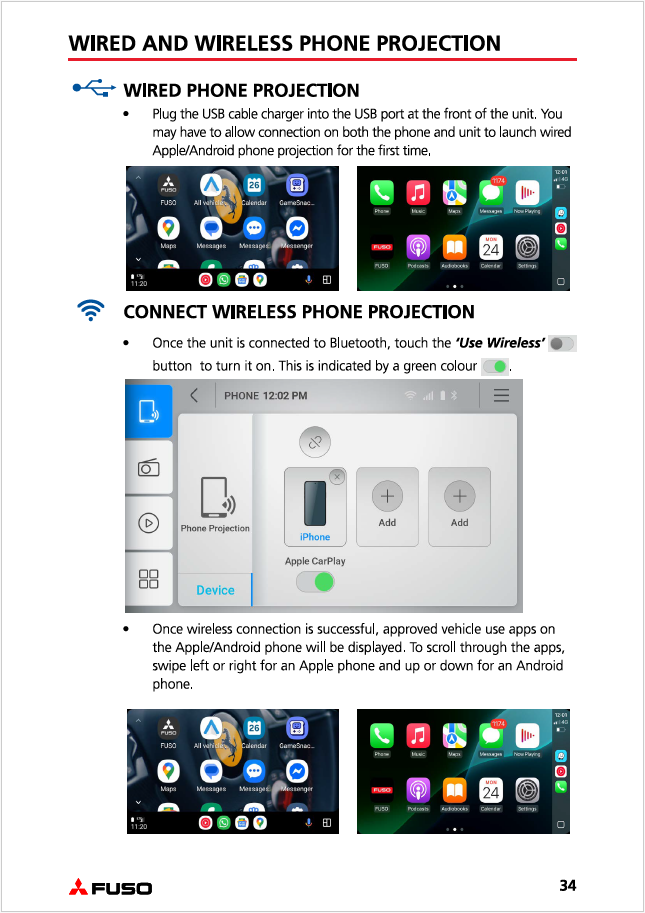
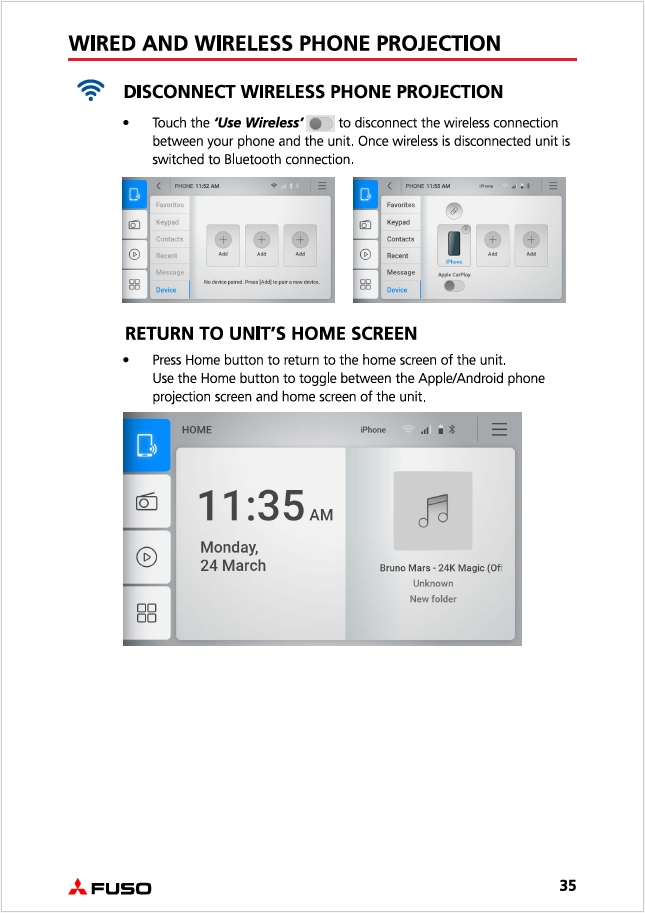
Wired and wireless phone connection projects some of the useful apps on your compatible Apple or Android phone onto the unit’s display screen. You will then be able to control calls, messages and music and navigate with maps on the unit’s display screen.
THINGS TO NOTE
- For a wired connection with your phone, it is recommended to use the genuine cable supplied with your phone.
- Your Apple/Android phone may require you to download, update and allow certain apps upon plugging in the USB cable charger or connecting wireless to the unit for the first time.
- Wireless connection to unit is only established with wireless compatible phones.
- Wireless connection is disabled if unit is connected to a Wi-Fi network or hotspot.
Please see below from User Manual pages 34 & 35.
Was this article helpful?
That’s Great!
Thank you for your feedback
Sorry! We couldn't be helpful
Thank you for your feedback
Feedback sent
We appreciate your effort and will try to fix the article